

Arcade Academy
“Arcade Academy” delves into the realm of Python programming, exploring topics such as the speed of Python, AI applications with short-term memory, and data augmentation for machine learning. It discusses the importance of understanding where bottlenecks occur in development and runtime, as well as the significance of maintaining conversation history in AI applications. The document also touches on the challenges of treating data as static in the context of generative AI and the need for responsive customer-facing chatbots. Overall, “Arcade Academy” provides insights into various aspects of Python programming, AI applications, and data augmentation for machine learning.
 Visit Arcade Academy
Lab 7: User Control
This lab gives you a chance to practice drawing an object with a function and allow the user to control it. Attention This lab does NOT use sprites. Look at User Control for examples relevant to this...
📚 Read more at Arcade Academy🔎 Find similar documents

Lab 1: First Program
Follow these step-by-step instructions. Note that a lot of the instructions link to a different site. I’d recommend opening those links in a different tab on your browser. That way you don’t lose you...
📚 Read more at Arcade Academy🔎 Find similar documents

Quantitative Reasoning Reflection
This is a reflection on quantitative reasoning. However, instead of turning it in via a PDF or MS Word document, we’ll turn it in as a text document. Directions Create a directory in your project c...
📚 Read more at Arcade Academy🔎 Find similar documents

Lab 5: Loopy Lab
The goal of this lab is to practice using nested for loops. We will create a program that makes the following image: For sanity’s sake, let’s give a number to each section. Then when we ask questions...
📚 Read more at Arcade Academy🔎 Find similar documents

Lab 11: Array-Backed Grids
Part 1 Start with the program at the end of Array-Backed Grids . Modify it so that rather than just changing the block the user clicks on, also change the blocks of the squares next to the user’s c...
📚 Read more at Arcade Academy🔎 Find similar documents

Lab 4: Camel
Description of the Camel Game The idea for Camel originally came from the Heath Users Group and was published in More BASIC Computer Games in 1979. The idea is to ride your camel across the desert ...
📚 Read more at Arcade Academy🔎 Find similar documents

Using Sprites to Shoot
How do we get sprites that we can shoot? Coins shooting 24.1. Getting Started First, let’s go back to a program to start with. Starting program for shooting sprites If you run this program, the...
📚 Read more at Arcade Academy🔎 Find similar documents

Lab 6: Text Adventure
Description of the Adventure Game One of the first games I ever played was a text adventure called Colossal Cave Adventure . You can play the game on-line here (1) , here (2) or here (3) to get an ...
📚 Read more at Arcade Academy🔎 Find similar documents

Lab 10: Spell Check
This lab shows how to create a spell checker. To prepare for the lab, download the files listed below. AliceInWonderLand200.txt - First chapter of “Alice In Wonderland” dictionary.txt - A list of wor...
📚 Read more at Arcade Academy🔎 Find similar documents

Lab 12: Final Lab
This is it! This is your chance to use your creativity and really show off what you can create in your own game. More than just passing a test, in this class you actually get to do something, and cre...
📚 Read more at Arcade Academy🔎 Find similar documents

Lab 8: Sprites
Make sure you understand the code from Sprites And Collisions . The example code there is great to get started with. Create a player-character sprite. Pick your own image for the sprite, from the web...
📚 Read more at Arcade Academy🔎 Find similar documents
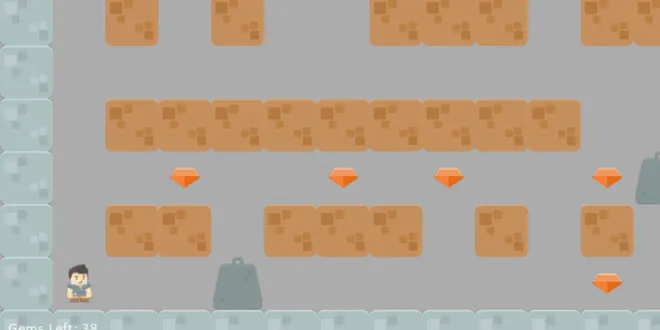
Lab 9: Sprites and Walls
Goal: Create a landscape of wall objects that the user must navigate around to collect coins. This will help practice using for loops to create and position multiple items. Step 1: Start with one the...
📚 Read more at Arcade Academy🔎 Find similar documents