

Making Games with Python & Pygame
“Making Games with Python & Pygame” delves into the world of game development using Python and Pygame. The content covers essential concepts and techniques for creating interactive games, from setting up the development environment to implementing game mechanics and graphics. Readers can expect to learn how to code game elements, handle user input, manage game states, and create engaging gameplay experiences. With a focus on practical examples and hands-on projects, this resource aims to equip aspiring game developers with the skills and knowledge needed to bring their game ideas to life using Python and Pygame.
 Visit Making Games with Python & Pygame
Buggy Programs - Making Games with Python & Pygame
🔎 Find similar documents

Errata - Making Games with Python & Pygame
🔎 Find similar documents

Online Diff Tool - Making Games with Python & Pygame
🔎 Find similar documents

Chapter 9 – Star Pusher
Chapter 9 – Star Pusher How to Play Star Pusher Star Pusher is a Sokoban or “Box Pusher” clone. The player is in a room with several stars. There are star marks on the grounds of some of the tile spr...
📚 Read more at Making Games with Python & Pygame🔎 Find similar documents

Chapter 1 – Installing Python and Pygame
Chapter 1 – Installing Python and Pygame What You Should Know Before You Begin It might help if you know a bit about Python programming (or how to program in another language besides Python) before y...
📚 Read more at Making Games with Python & Pygame🔎 Find similar documents
Chapter 2 – Pygame Basics
Chapter 2 – Pygame Basics Just like how Python comes with several modules like random , math , or time that provide additional functions for your programs, the Pygame framework includes several modul...
📚 Read more at Making Games with Python & Pygame🔎 Find similar documents

Chapter 5 – Simulate
Chapter 5 – Simulate How to Play Simulate Simulate is a clone of the game Simon. There are four colored buttons on the screen. The buttons light up in a certain random pattern, and then the player mu...
📚 Read more at Making Games with Python & Pygame🔎 Find similar documents

Chapter 3 – Memory Puzzle
Chapter 3 – Memory Puzzle How to Play Memory Puzzle In the Memory Puzzle game, several icons are covered up by white boxes. There are two of each icon. The player can click on two boxes to see what i...
📚 Read more at Making Games with Python & Pygame🔎 Find similar documents

Chapter 8 – Squirrel Eat Squirrel
Chapter 8 – Squirrel Eat Squirrel How to Play Squirrel Eat Squirrel Squirrel Eat Squirrel is loosely based on the game “Katamari Damacy”. The player controls a small squirrel that must hop around the...
📚 Read more at Making Games with Python & Pygame🔎 Find similar documents
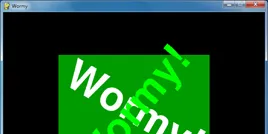
Chapter 6 – Wormy
Chapter 6 – Wormy How to Play Wormy Wormy is a Nibbles clone. The player starts out controlling a short worm that is constantly moving around the screen. The player cannot stop or slow down the worm,...
📚 Read more at Making Games with Python & Pygame🔎 Find similar documents

Chapter 7 - Tetromino
Chapter 7 - Tetromino How to Play Tetromino Tetromino is a Tetris clone. Differently shaped blocks (each made up of four boxes) fall from the top of the screen, and the player must guide them down to...
📚 Read more at Making Games with Python & Pygame🔎 Find similar documents

Chapter 4 – Slide Puzzle
Chapter 4 – Slide Puzzle How to Play Slide Puzzle The board is a 4x4 grid with fifteen tiles (numbered 1 through 15 going left to right) and one blank space. The tiles start out in random positions, ...
📚 Read more at Making Games with Python & Pygame🔎 Find similar documents